Disclaimer: Everything vulnerable in this post lives in a local Docker lab that I built myself. Do not test anything on systems you do not own or have explicit permission to test.
The notification
It was a quiet Thursday when I saw it: release-1.31.9 on the nginx GitHub, posted about 15 hours earlier. Mainline release, and the description was just a wall of CVEs. Use-after-free in the resolver. Memory corruption in HTTP/2 flow control. Use-after-free in HTTP/3 and HTTP/2. An infinite loop while reading a request body over TLS 1.3. A buffer overflow with alias plus try_files. A few more hiding in the stream and mail modules.
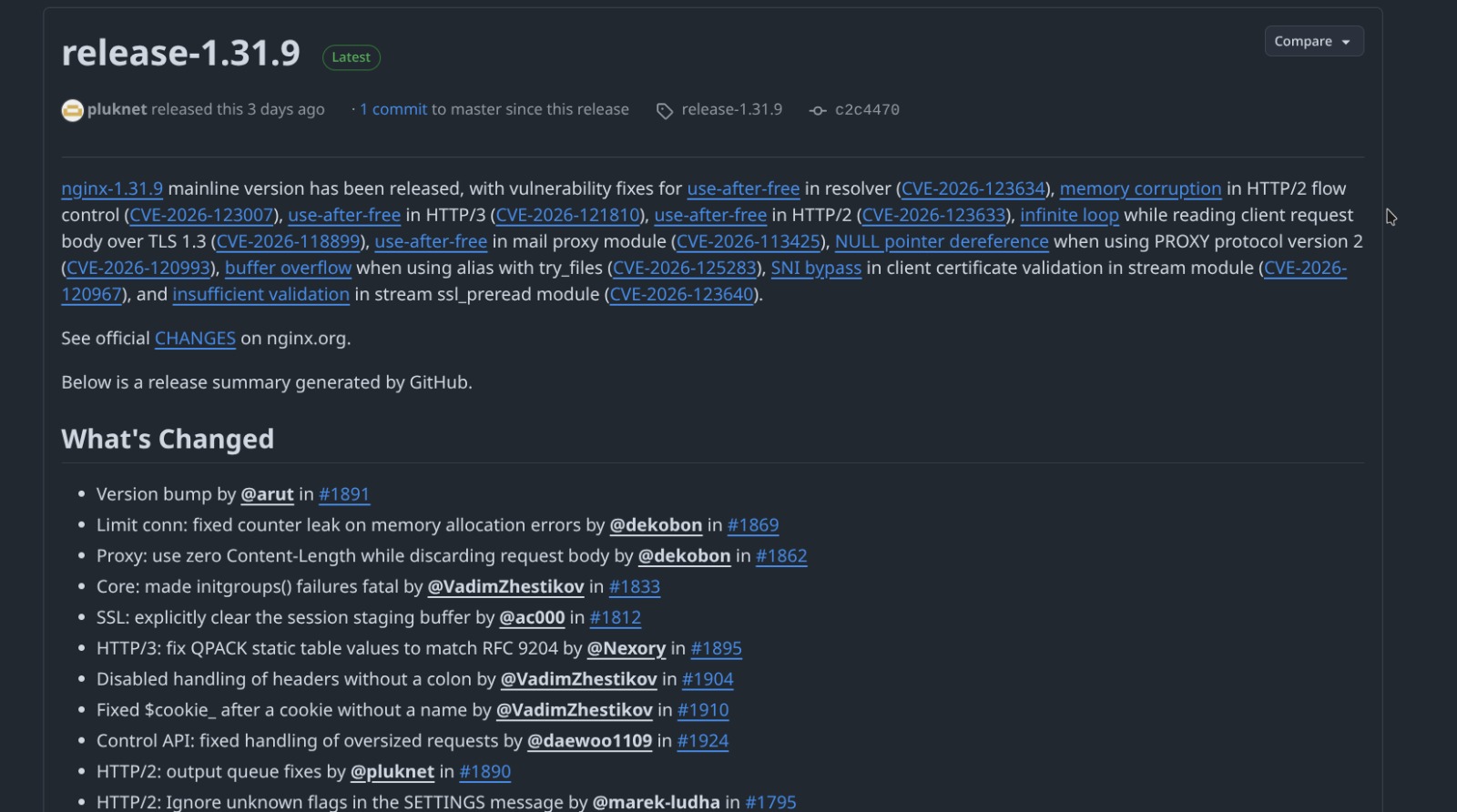 the release page. Posted 16 hours ago(when i saw that for the first time), and already a very long list
I run a couple of VPS, so I did what everyone does. I scrolled down to the workaround section, and it said that if you cannot update right now, disable HTTP/2.
That gave me one very small question: do my servers even use HTTP/2?
I had no idea how long it would take me to answer that properly.
Answer attempt one: confident and wrong
Both servers were on old Ubuntu packages (1.24.0 and 1.18.0), so the advice for me was: remove http2 from the listen line. Not http2 off;, because that directive only exists from 1.25.1. I knew that much.
So I searched for it:
sudo grep -rn "http2" /etc/nginx/
Nothing. Great, no HTTP/2, I am done.
Then I ran the same thing on the second server, which was happily serving HTTPS on port 443, and grep listen returned zero lines. A server that answers on 443 with no listen directive is not a thing. Something was wrong with my search, not with the server.
Turns out grep -r does not follow symlinks, and on Ubuntu sites-enabled/ is nothing but symlinks. I had searched a folder full of shortcuts and called it a day. The right question for nginx is not “what is in the folder?” but “what did you actually load?”:
sudo nginx -T 2>&1 | grep -nE "server_name|listen|http2"
That shows the effective config, symlinks and includes already resolved. Still no http2. This time I believed it a little more.
Answer attempt two: testing someone else’s server
Config is one thing, the real handshake is another. The advisory suggests checking whether the server negotiates h2:
openssl s_client -connect HOST:443 -servername HOST -alpn h2 </dev/null 2>&1 | grep -aE "ALPN"
I replaced HOST with example.com, ran it, and got a proud ALPN protocol: h2.
It took me an embarrassing moment to realize I had just confirmed that example.com supports HTTP/2. Not mine. I did it twice, on both servers, because I copy-pasted the same mistake.
Answer attempt three: the layer problem
When I finally used my real domains, I got:
No ALPN negotiated
Good answer, but there is one more trap. If something like a CDN sits in front of your server, it talks HTTP/2 to the browser on its own, and your nginx config does not matter for that connection. To test nginx itself, connect to the server’s IP and pass the domain as SNI. Three attempts, three different ways to fool myself, and the final answer was the one I started with: neither server was using HTTP/2.
The things I was not looking for
Poking at servers in a hurry is a great way to find things you were not looking for.
An expired certificate. One of my domains on the second server returned
certificate has expired. The server block did not have themanaged by Certbotmarker the others had, so it was probably on a certificate nobody renews. Nothing to do with the CVEs, and a real outage waiting to happen.
Docker publishing to the world.
docker pson the first server showed a Postgres container and a database admin UI, both published on0.0.0.0. Docker writes its own firewall rules, soufwdoes not protect those ports. The fix is boring: bind to127.0.0.1and let nginx proxy to them.
A stuck apt. Installing build dependencies failed on an
openssh-clientupgrade withOperation not permittedon a file that root should be able to replace. That usually points to the immutable attribute. I have not solved this one yet, and it is a good reminder that “just update it” is rarely just that.
A dead end for packages. On the older server I wanted the official nginx.org repo. Its package list for Ubuntu 20.04 stops at 1.27.5. No new packages for that release, so the choices left are a source build or a newer OS.
So I built a thing
By this point I noticed I was re-typing the same checks, and every typo was a wrong conclusion. Is HTTP/2 on? Which version is this, and is it affected? Who runs the workers? Can anyone write to the config or the binary? Is the TLS key readable by everyone?
I wrote a small auditor called n2rpg and a lab to try it on safely. The name is “nginx to root”, the idea being that a bug in a worker process is much worse when that worker is running as root.
The project: ramenaru/nginx2root-playground.
The lab starts two containers: one deliberately vulnerable, one hardened.
| vulnerable | hardened | |
|---|---|---|
| nginx | 1.24.0 | 1.31.9 |
| http / https | 8080 / 8443 | 8081 / 8444 |
| h2c | 8082 | not exposed |
| audit result | 7 critical findings | 0 critical, 21 passed |
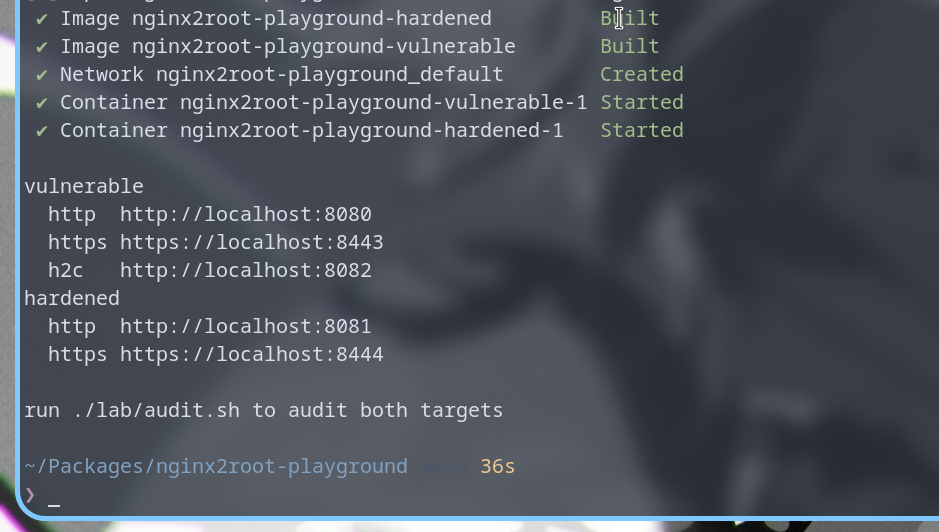 both containers built and started
 docker ps: healthy, side by side
Asking it my original question
The first thing I did was run the tool on my own machine and ask only the question I started with:
sudo n2rpg --only H2,TLS
INFO   H2-001     HTTP/2 enabled
       HTTP/2 is not enabled on this configuration
Result: PASS (fail-on: high)
An hour of grep and openssl, replaced by one line.
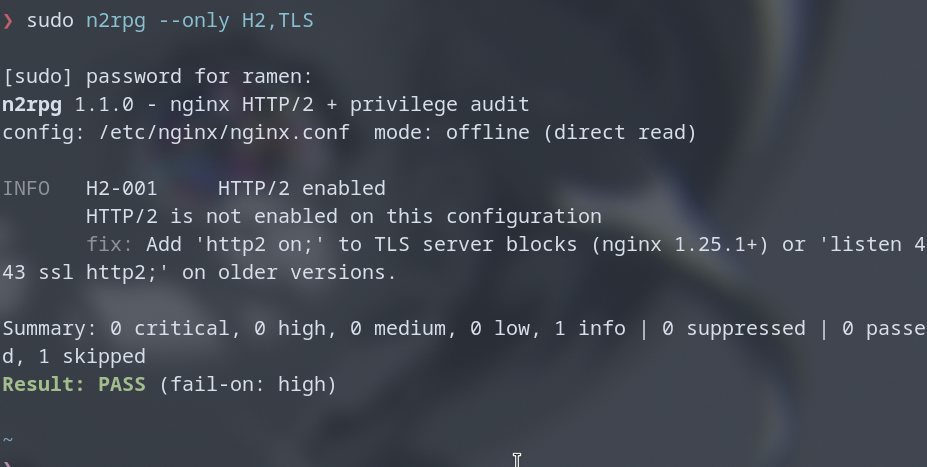 the original question, finally answered in one command
Then I ran it without the filter, and it was less flattering:
CRIT   ROOT-001   worker processes run as root
       nginx worker processes are running as root (9 worker(s))
WARN   CFG-006    dotfiles may be served
WARN   CFG-001    server_tokens enabled
Nine nginx workers running as root on my own machine. I would never have noticed without a tool pointing at it.
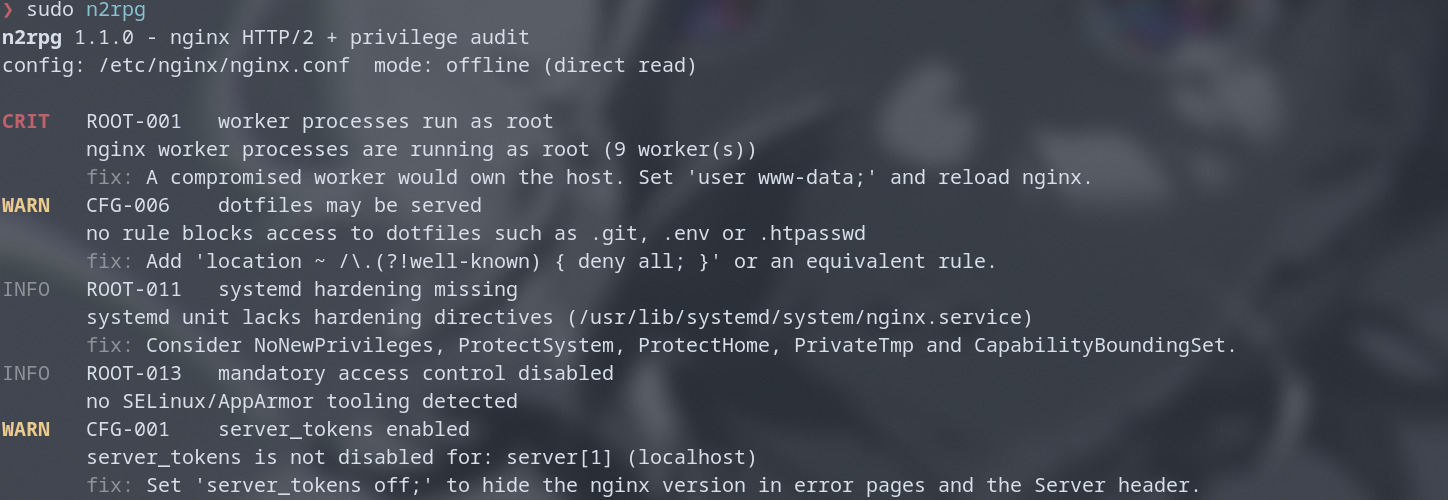 my own machine, judged
Vulnerable vs hardened
Running ./lab/audit.sh produces the interesting contrast. The vulnerable target:
CRIT   TLS-007    private key is world-readable (mode 644)
CRIT   ROOT-002   nginx is configured to run workers as root
CRIT   ROOT-004   world-writable nginx configuration
CRIT   ROOT-005   world-writable nginx configuration directory: /tmp
CRIT   ROOT-007   nginx binary is world-writable (mode 777)
CRIT   CVE-2026-123007  Memory corruption in HTTP/2 flow control
       nginx/1.24.0 is affected (feature in use: http2; fixed in 1.31.9,1.30.7)
The last finding is the one that connects back to the beginning. The CVE only counts as a problem when the feature is in use, which is why switching HTTP/2 off was a legitimate stopgap, and why upgrading is still the real fix.
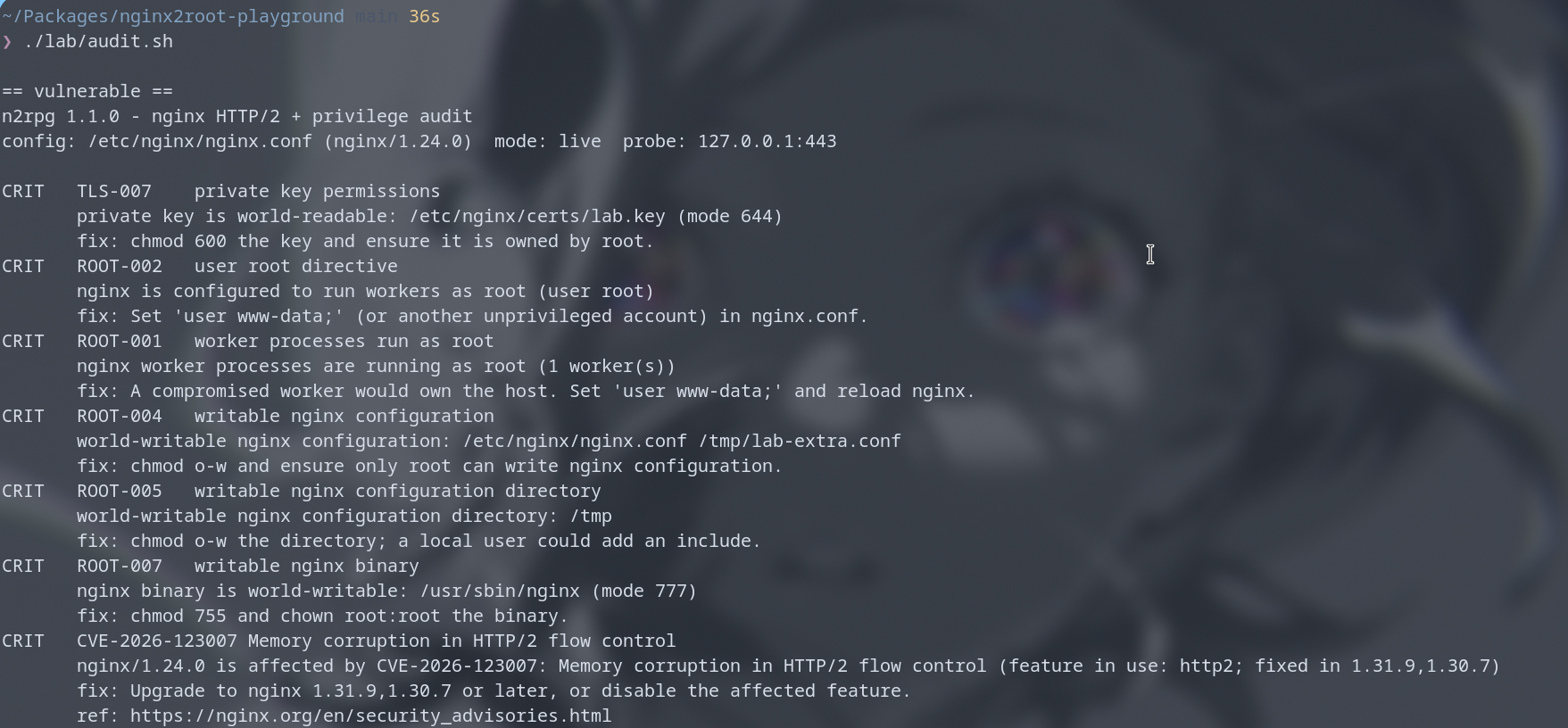 the vulnerable target
The hardened target:
Summary: 0 critical, 0 high, 0 medium, 0 low, 4 info | 21 passed, 1 skipped
Result: PASS
The four infos are expected for a lab: self-signed certificate, no OCSP stapling, no AppArmor, and the listeners on 80 and 443.
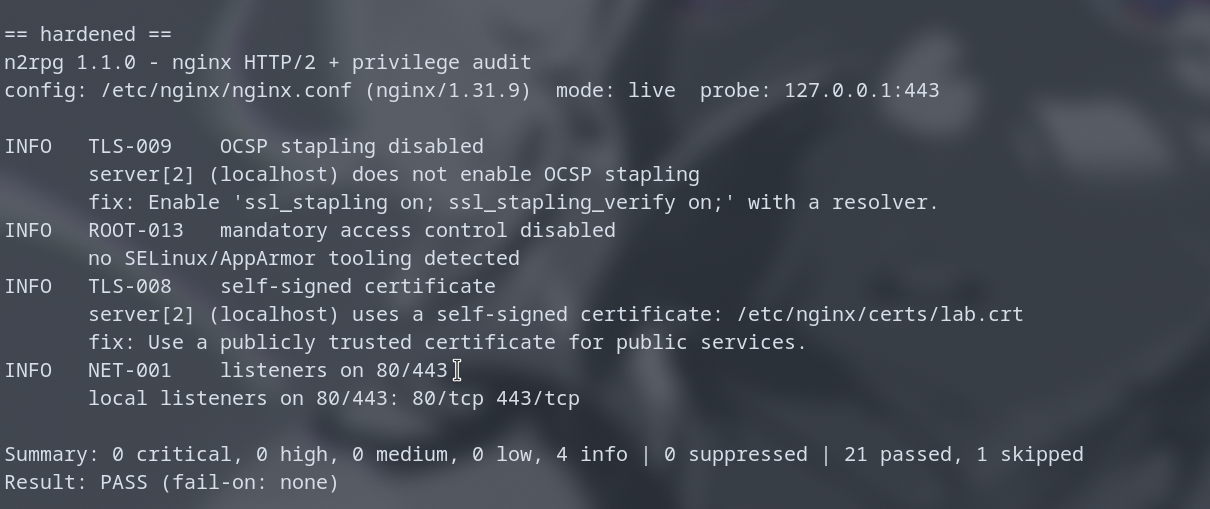 the hardened target
It is also meant for scripts
I did not want a tool that only prints colors. The auditor can output text, json or sarif, and can fail a pipeline with --fail-on:
n2rpg --format json --fail-on high
The lab saves one file per target in lab/results/, with the summary, the nginx version and an exit_code that a CI job can act on.
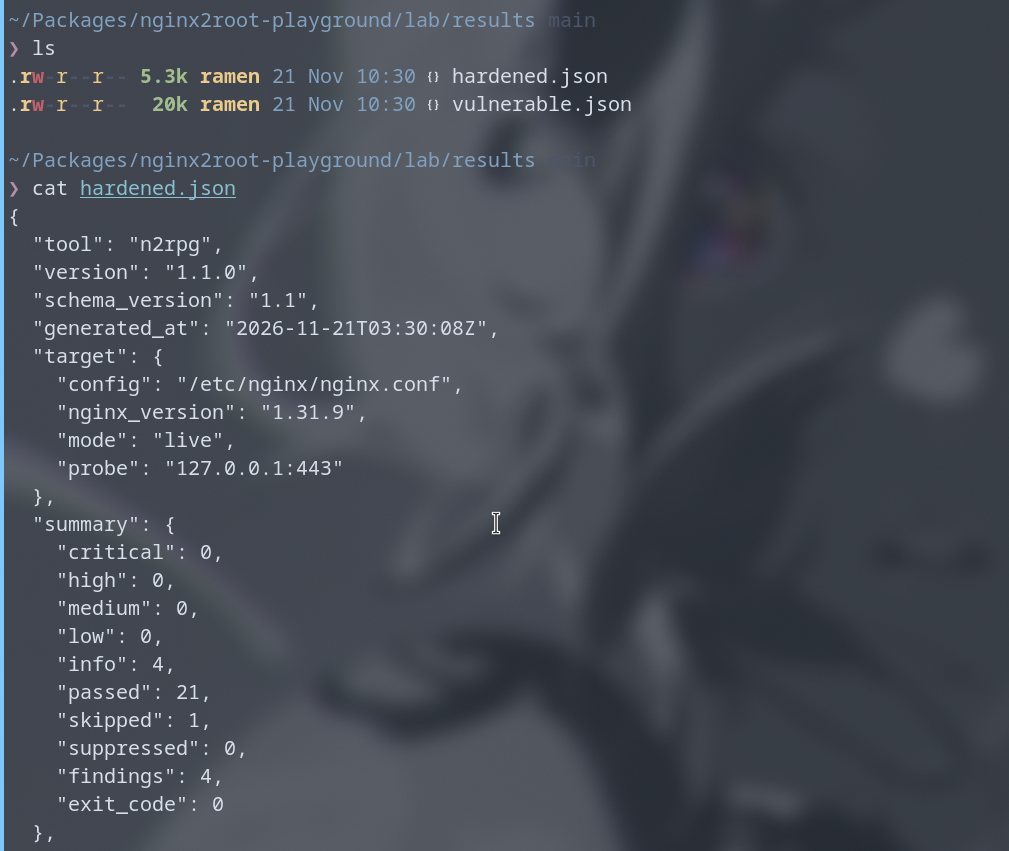 lab/results: one JSON file per target
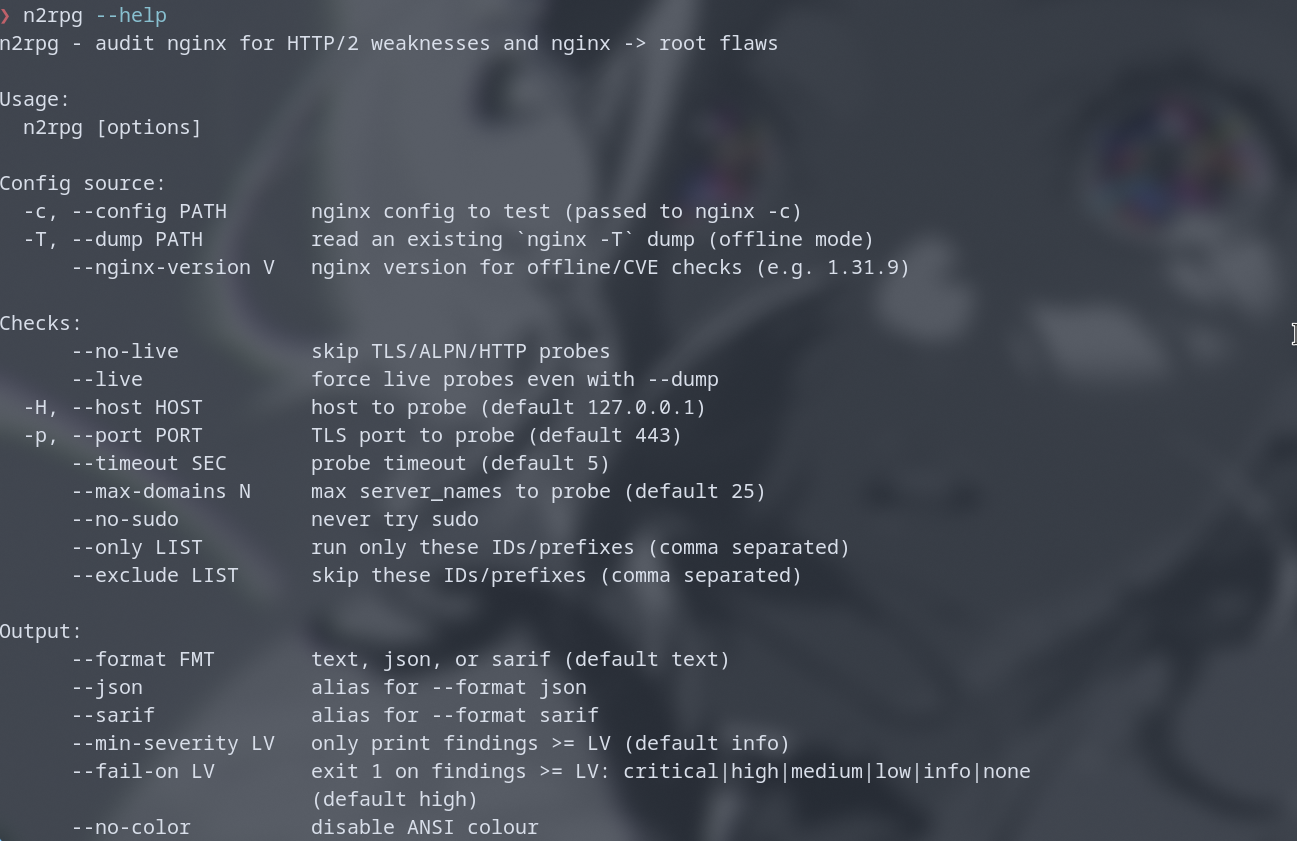 n2rpg –help
What I would tell myself on Thursday
- Ask nginx what it loaded (
nginx -T) instead of searching folders. - Test the real server, and know which layer you are testing.
- A workaround is not a patch. The fix for this release is 1.31.9 (mainline) or 1.30.7 (stable).
- Distribution packages stay on old versions and only backport fixes, so check what yours ships.
- Nginx workers should not run as root. Ever.
- Docker ignores your firewall. Bind internal services to localhost.
- If you retype the same checks three times, write a script.
Try it
git clone https://github.com/ramenaru/nginx2root-playground.git
cd nginx2root-playground
make lab-audit
When you are done, docker compose down stops the lab containers.